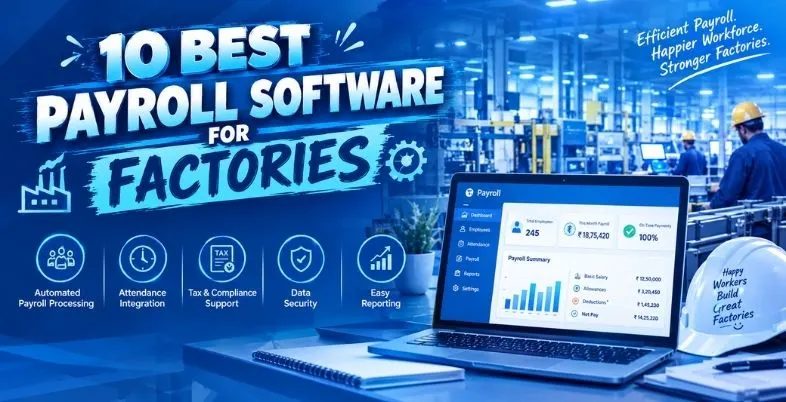
The factory works on various shifts and basic workers work round the clock. Payroll management is challenging in this scenario, given that one must ensure the accurate tracking of attendance, overtime, shift allowances and timely payment of salaries. All of this needs to be managed by payroll. The minute one employee makes an overtime mistake or the other employee makes a late payment on the PF, the workers begin to distrust the office.
What’s more, there are new rules. There are four Labour Codes in India, which have simplified 29 different labour laws. They are implemented and subject to various rules regarding wages, social security, industrial relations and workplace safety. There is a common interpretation of the term ‘wages’ in all four codes and it is now agreed that DA should not exceed half of the total wage. One of the rules is that it will alter the calculations of PF, gratuity, bonus and overtime. There are many older Excel worksheets that just don’t have the capacity to deal with it.
This guide is to compare the 10 most-favoured tools seen by Indian factory owners and the HR teams. We discuss what they are and how much they will cost, why they don’t work for everyone, and who should utilize them. If you’re looking for payroll software for factories, then you can either read it from top to bottom, or simply skip straight to the comparison table. It’s simple, intended to be simple, as payroll is stressful enough as it is.
Why Factory Payroll Is Different From Office Payroll
Office payroll is usually simpler since most employees have a regular payroll schedule and are paid on a monthly basis. Rotating shifts, overtime, weekly offs and various types of workers make factory payroll more complicated. Payroll is transferred once a day at the factory. Work on A, B or C shifts, bring in workers from other shifts to work together if orders surge, and swap shifts with friends, and then they enjoy a weekly off, which may be on any day.
There’s the assemblage of employees, too. Every one of these plants may have permanent employees, daily wagers, apprentices, piece-rate employees and 100s of workers on contract. There are various rules governing wages, PF, ESI, bonus and leave, for each of the groups. The trouble comes back to the factory, if the principal employer doesn’t verify the amount paid by the contractor.
It is even more stressful when it comes to overtime. It is paid at twice the normal rate, there is a cap on it per quarter and attendance information must be clean to be accurate. The reason a simple office tool fails on the shop floor is due to adding state-wise minimum wages, labour welfare fund, professional tax and bonus rules, etc.
There’s the human aspect, too. When working in a factory, there is a need to budget on a tight budget and at home, a small error in the payslip is a big issue. Without overtime, the employee is losing a day’s worth of trust and the boss loses an hour of working on the issue. It helps to maintain good attendance as well as reduce last minute resignations at the end of the festival season with timely and accurate payment.
Must-Have Features in Payroll Software for Factories
Before you go on to any website, make a list of your plant’s needs. Pass this list on to your HR, finance and plant heads since there is a different problem for each of these. This checklist summarises the areas which are most problematic in the shop floor.
- Pairing up and rostering of shifts (A, B and C) and easy swaps between shifts.
- No re-typing of attendance required; it can be done via biometric, face or mobile attendance and is connected to payroll.
- Double Rate Overtime (Overtime will be calibrated daily and documented by quarter hour and/or by consent)
- Awards, collective agreements or rules that provide an allowance for night shift work, holidays or weekly off.
- The deductions of PF, ESI, professional tax, TDS and labour welfare fund by state will be summarized below.
- Support for the permanent, contract, trainee, daily wage and piece-rate employees.
- The 50% rule, gratuity and bonus on the new wage base are new wage definition supports.
- Management of Contract labour, contract verification of wage payment for contractors and PF/ESI contribution.
- Single login to access support at multiple locations and multiple plants. Single login to multiple plant and multiple locations support.
- Enable worker self-service – preferably in local and Hindi languages – on mobile.
- Create, access and submit bank payout files and ready statutory returns, including ECR and ESI challans
- No need to wait for several weeks to receive a settlement after the incident!No more waiting for weeks after the incident to receive a settlement!
- Record of who accesses, roles and clear payslips for the workers
10 Best Payroll Software for Factories (Reviewed)
1. greytHR

Greytip Software based in Bengaluru provides businesses in India with a cloud-based HR and payroll solution called greytHR. It reflects in the payroll engine which takes care of PF, ESI rules state-wise, professional tax, TDS and labour welfare fund rules state-wise.
This is particularly convenient for a factory as the attendance, leave, overtime and payroll are available in one location. You can configure shift rules, record late-in shift times and generate overtime hours without any hassle and directly into the salary run. With a free Starter plan you can test it out before paying for it, as it supports up to 25 employees. The mobile app enables employees to view their payslips and approve leave applications on their mobile devices, reducing the waitlines of people on salary day at the HR’s desk.
Key Features
- Statutory compliance filings
- Attendance and overtime
- Employee self-service app
- Payslips and Form 16
Pros
- User-friendly interface
- Comprehensive payroll features
- Free starter plan
- Long compliance experience
Cons
- Occasional support delays
- Setup can take time
- Extra cost per employee
- Some modules are add-ons
Pricing: Starts at ₹1,495 monthly.
Best For: Compliance-first mid-size plants
Website: https://www.greythr.com
2. Keka

Keka is a Hyderabad-based HR and payroll software company that provides services to the growing businesses throughout India. It’s a payroll side product for multi-state statutory rules, loans and reimbursements, tax, and is baked into an integrated suite of products for attendance, leave, hiring and performance.
Keka also has a particular page to create HR for manufacturing. What it is best for is for factories with a well-established HR team in the head office and who prefer to have all employees (shop floor and white collar) on the same platform. It will cost more than lean tools, and may be too much for small sized machines. This one system can be used to maintain two payroll calendars for your plant – one for the office team and one for the large shop-floor team – and have different rules for each group.
Key Features
- Multi-state statutory payroll
- Attendance and timesheets
- Employee database
- Loans and reimbursements
Pros
- Modern, clean interface
- Strong payroll compliance
- Public pricing shown
- Full HR suite
Cons
- Costly for small teams
- Minimum monthly base fee
- Add-ons cost extra
- Not for micro businesses
Pricing: Starts from ₹6,999/month.
Best For: Large plants needing full HRMS
Website: https://www.keka.com
3. Zoho Payroll

Zoho Payroll is a payroll solution by the Chennai-based Zoho Corporation, started in 1996. The income tax, PF, ESI, labour welfare fund and professional tax for every state is covered in the India edition. It also generates payslips and statutory challan and Form 16.
It’s one of the cheapest in this list and is recommended to users having an existing Zoho Books or Zoho People account. A gap for a factory is shift and biometric depth. Often such a system as Zoho People or another attendance system will be needed in parallel with it. Zoho Payroll has a free plan for small businesses, with paid plans offering extra employee capacity and features. Please consult the official pricing page for up-to-date plans and subscription information. Many small workshops like it because its bill can be easily forecasted every month.
Key Features
- PF, ESI, PT, TDS
- Payslip generation
- Employee self-service
- Zoho Books integration
Pros
- Very affordable pricing
- Free plan available
- Easy Zoho integration
- Clean payslips
Cons
- Limited factory-specific tools
- Attendance needs Zoho People
- Minimum employee limits
- Setup help varies
Pricing: Free up to ₹4,000/month.
Best For: Small units on Zoho
Website: https://www.zoho.com/in/payroll/
4. RazorpayX Payroll
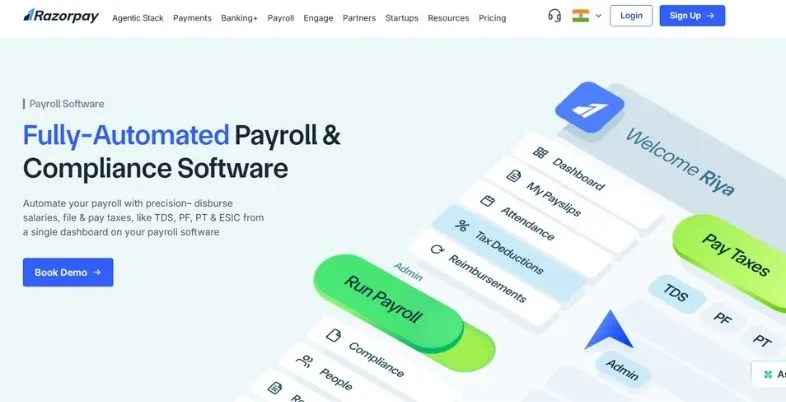
RazorpayX Payroll is from the payments company, Razorpay. Its primary advantage is that payroll and salary payment coexist together. The tool works out the salary, pays employees and settles their TDS, PF, professional tax and ESIC payments and files according to the existing regulations.
Easy to setup, easy to use, is available for free and has a Pro plan available for ₹100 per employee per month. In a factory, it is best to have a small plant, and simple shifts. For larger plants with requirements to use rosters, biometric devices and heavy overtime logic, they would prefer a tool with more in-depth attendance capabilities. The flat per-employee price is also simple to explain to an owner that would not like to read a lengthy agreement. Please be aware that the prices given are ex-GST, which is an additional 18 percent to be added on to these.
Key Features
- Direct salary payments
- PF, ESIC, TDS filings
- Payslip generation
- Accounting app integrations
Pros
- Easy to start
- Free plan available
- Payout built in
- Compliance handled
Cons
- Light shift management
- Costly beyond 50 staff
- Limited attendance depth
- Plans change often
Pricing: Starts from ₹2,499/month
Best For: Small plants, simple shifts
Website: https://razorpay.com/payroll/
5. Pocket HRMS
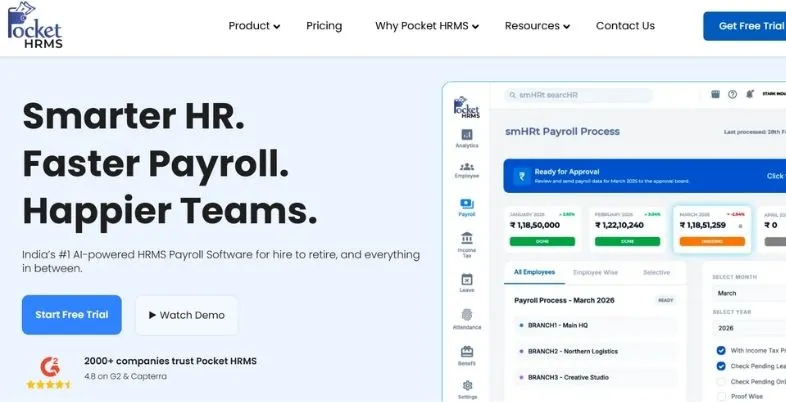
Pocket HRMS is a cloud HR and payroll offering that is powered by its smHRt payroll engine. The vendor claims that they take care of PF, ESIC, TDS, professional tax, labour welfare fund and form 16 and have it on their website. It also includes geo-tagged attendance, leave management and includes an employee portal with mobile app.
Prices are transparent and affordable – making it an attractive choice for expansion sites. The Standard plan is ₹2,995 per month with 50 employees. The point to remember is that it can’t be used by very small units – a minimum of 50 employees is required. A setup typically will take 2-8 weeks. The vendor also provides complimentary live training after the setup, which means that your payroll team doesn’t have to learn it all by itself.
Key Features
- smHRt payroll engine
- Geo-tagged attendance
- Labour Code compliance
- Self-service mobile app
Pros
- Transparent low pricing
- Free live demo
- Training included
- Many integrations
Cons
- 50-employee minimum
- Longer setup time
- Some features need Professional
- Smaller brand name
Pricing: ₹60 per user/month
Best For: Budget plants, 50+ workers
Website: https://www.pockethrms.com
6. factoHR

factoHR is an HR and payroll platform based in Bengaluru which was launched in 2016. Customers include manufacturing plants that run shift workers, IT, retail and healthcare companies. The payroll module provides statutory compliance, configurable payslip templates and links with the accounting software.
It has an AI-based face recognition system and GPS tracking system in its attendance side, which is helpful for workers that punch in from various gates or locations. Not all review sites list public pricing so request the vendor for a written quotation. According to one comparison site, the amount gets to approximately ₹4,999 per month for 50 users. It also includes an employee self-service feature and mobile app, allowing employees to view their attendance and payslips without having to open the office.
Key Features
- Automated payroll processing
- Face recognition attendance
- GPS-based tracking
- Configurable payslip templates
Pros
- Used in manufacturing
- Modular add-ons
- Strong payroll reviews
- Accounting software links
Cons
- Pricing not always public
- Modules add cost
- Setup costs extra
- Fewer factory case studies
Pricing: Free to ₹4,499/month
Best For: Growing plants, face attendance
Website: https://www.factohr.com
7. HROne
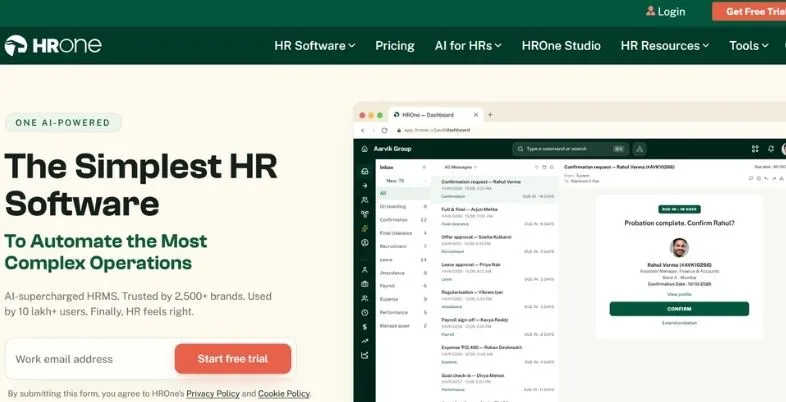
HROne has an HRM specific to manufacturing, and will accommodate white-collar and blue-collar employees alike. The shift tools include shift handling, shift swaps, attendance overtime, compliance alert and workforce reports. In one case study, SG Mart, a manufacturer that employs 242 people, shifted from a manual system of payroll to automated payroll across 6 payroll groups.
Another key feature of the vendor is a distinction in workflows for permanent, contract and temporary employees. The price of its public plan for 50 users is ₹4,950 per month, after that it is priced at ₹99 per additional employee. That’s better than some competitors but it is explicitly mentioned prior to talking to sales. This clear structure does help the finance team predict the annual cost for a plant with multiple payroll groups (staff, contract, daily wage etc.) without the element of surprise.
Key Features
- Shift and overtime handling
- Multiple payroll groups
- Compliance alerts
- Contract worker workflows
Pros
- Built for manufacturing
- Clear public pricing
- Good review volume
- Strong shift tools
Cons
- Higher cost per head
- Advanced modules extra
- Setup fees possible
- Interface takes learning
Pricing: ₹4,950/month
Best For: Shift-heavy mid-size plants
Website: https://hrone.cloud
8. Zimyo

Zimyo is an HR and payroll solution for business houses based in Gurugram which handles payroll, attendance, expenses, recruitment and performance in a single solution. It is very clear about Indian Payroll and Statutory requirements, with global teams options. It will have features like roster management, selfie attendance, geo-tagging and geofencing, ideal for staff working on a plant-to-plant basis.
There is one listing for India that quotes pricing at ₹80, ₹120 and ₹160 per employee per month, and the international pricing page begins at the $3 per user per month mark. The prices vary according to region, page and pages so please make sure you ask for an India quote in writing before making your decision. Overtime management and the mobile app are also available in Zimyo making it suitable for a company with one head office, and several small plants located across various cities.
Key Features
- Roster management
- Selfie attendance
- Geofence tracking
- Statutory payroll
Pros
- Many HR modules
- Low entry price
- Mobile-first design
- Overtime management
Cons
- Pricing varies by page
- Minimum billing applies
- Add-ons cost extra
- Not factory-only
Pricing: ₹80/user/month
Best For: Mixed office and plant teams
Website: https://www.zimyo.com
9. Timelabs
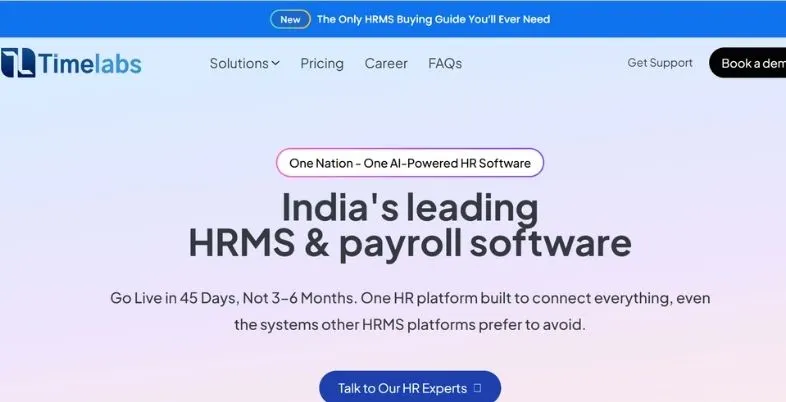
Timelabs is an HRMS which targets manufacturers directly. On its manufacturing page there are 107+ manufacturing companies and 80,000+ employees managed. It facilitates A, B and C rotating shifts for each plant and department, sends alerts for under-staffed shifts and shift-swap approvals.
Biometric punches enter into payroll and overtime, night shift allowance, EPF and ESIC for each state and plant are auto-calculated. The software directory has plans of Pulse costing ₹3250 per month for 50 users, and Rhythm costing ₹4500. This is the most similar of this list to a shift roster plant. The company also provides a trial version so you can let them know which A, B and C shift rules you would like, and see how the overtime appears on your payslip.
Key Features
- Rotating shift rosters
- Biometric to payroll
- Automated overtime calculation
- Multi-location dashboard
Pros
- Factory-focused design
- Low entry price
- Shift swap approvals
- Many plant clients
Cons
- Less known outside India
- Mainly English support
- Custom quote at scale
- Fewer public reviews
Pricing: Starts at ₹3,250/month.
Best For: Rotating-shift manufacturing plants
Website: https://www.timelabs.in
10. OpportuneHR

OpportuneHR is an HR & payroll solution from India which has manufacturing as one of its major industries. It can configure complex attendance rules, and process a large number of punches per day, which is important for situations where hundreds of employees punch in in the same 10 minutes. It is also integrated with SAP and Tally ERP.
Prices are all on a quote basis. A software directory costs from ₹15 to ₹50 per employee per month, which is one of the lowest costs here. It has less public reviews than some of the larger ones, so request references from customers who are similar to you prior to signing up. The rules are based on each customer so ensure that the vendor records all attendance and overtime rules on the contract so that they are not left to the vendor’s memory later.
Key Features
- Complex attendance rules
- High-volume punch data
- SAP and Tally links
- Payroll and compliance reports
Pros
- Plant-specific setup
- Low reported pricing
- ERP integration support
- Custom rule building
Cons
- Quote-based pricing
- Few online reviews
- Mainly English only
- Less known brand
Pricing: ₹30–₹60 per employee
Best For: Custom-rule factories using Tally
Website: https://opportune.in
Comparison Table: Factory Payroll Software Side by Side
| Name | Best For | Link |
| greytHR | Compliance-first mid-size plants | https://www.greythr.com |
| Keka | Large plants needing full HRMS | https://www.keka.com |
| Zoho Payroll | Small units already on Zoho | https://www.zoho.com/in/payroll/ |
| RazorpayX Payroll | Small plants with simple shifts | https://razorpay.com/payroll/ |
| Pocket HRMS | Budget plants with 50+ workers | https://www.pockethrms.com |
| factoHR | Growing plants using face attendance | https://www.factohr.com |
| HROne | Shift-heavy mid-size plants | https://hrone.cloud |
| Zimyo | Mixed office and plant teams | https://www.zimyo.com |
| Timelabs | Rotating-shift manufacturing plants | https://www.timelabs.in |
| OpportuneHR | Custom-rule factories using Tally | https://opportune.in |
How Much Does Payroll Software for Factories Cost?
It is easy to see the prices on a pricing page, but the final invoice comes with a great price. Before comparing numbers, you should be aware of the following:
- There are free plans but are smaller and may not offer advanced payroll capabilities. There is a free plan for greytHR, Zoho Payroll and RazorpayX Payroll as well.
- There are paid tools available, which cost between ₹40 and ₹180 per employee/month. According to one pricing guide, the whole range is priced at ₹300 or less per head.
- Commonly, the bands are flat. Pocket HRMS starts at ₹2,995 for 50 employees, Timelabs at ₹3,250, HROne at ₹4,950 and Keka at about ₹6,999 for 100 employees.
- There are conflicting reports about Keka’s base price; some websites post the sum of ₹9,999, check the price with the vendor.
- The extra workers expenses will be between ₹45 to ₹150, based on the tool.
- Most of the listed prices incorporate an 18% GST.
- According to the price guide for 2026, the setup and training costs can range from ₹8,000 to ₹50,000 or higher.
- Face devices and add-on modules, as well as biometric machines are usually sold separately.
- A quick example: 200 workers at ₹60 to ₹100 each comes to ₹12,000 to ₹20,000 a month before GST.
- Always inquire about the real cost including any increase in renewal; the written quote should be kept for subsequent negotiations with the vendor.
- Check if it’s a billable or not as some vendors only count active workers.
- Inquire whether additional payroll runs outside the cycle (off-cycle payrolls) and Form 16, extra statutory returns are subject to a fee.
- Usually only cheaper per year than per month, but you have to pay in full for the year – see exit terms.
How to Choose by Factory Size
The optimal payroll system for a ten man factory is quite different from that of a group of five factories. The size bands below are a good reference, but should be tweaked to reflect your shift pattern and the percentage of contract workers on your rolls.
Under 25 workers
- Always see if there is a free plan that meets all of your PF, ESI and payslip requirements.
- Sign up with a free plan of greytHR, Zoho Payroll or RazorpayX Payroll.
- Simplify attendance with a mobile app or with a simple biometric device.
- Only go up when there are problems with overtime and shifts.
- Even if the tool is free, be sure to maintain a simple log of overtime hours and workers’ consent.
25 to 100 workers
- Check out Pocket HRMS, Timelabs, HROne or factoHR.
- Choose an attendance and payroll integration that will eliminate manual typing.
- Be sure to review a minimum of 50 employees requirements prior to signing.
100 to 500 workers
- Make a shortlist of the following HR software: HROne, Timelabs, Zimyo, greytHR and Keka.
- Discuss several payroll groups for employees, contract employees and daily wage employees.
- Test for a full month using your actual shifts before entering into “live” mode.
500 workers or more, or several plants
- A phased rollout – one plant at a time – will ensure that any mistakes are kept small.
- Contact Keka, HROne, Timelabs or OpportuneHR for quotes for your enterprise.
- Ensure links to ERP (SAP or tally) are in check.
- Request an Account Manager and Support Hours for the first salary run.
- Search for multiple plant dashboard, audit trail and support by your state.
Common Payroll Mistakes in Factories
The majority of these errors are little on the day they occur but big at the end of the year. The earlier their defects can be corrected, the less expensive the repair will be. Have your payroll manager check off the following list quarterly and let the owner know, so you can avoid small issues from becoming big problems with your employees, unions or inspectors!
- Continuing to use Excel to calculate overtime (results in overtime hours being missed and/or incorrect rates)
- Overtimes paid at the single rate rather than double rate
- Ignoring the new definition of the wage and using the old basic pay for PF calculation
- Failing to get the required written consent required for overtime.
- Failure to keep on record the number of overtime hours worked by employees per quarter compared to the state overtime limit
- This is one of the most common types of incorrect payment calculations for pay-for-performance schemes, where piece rate or incentive pay is treated as bonus, instead of the actual pay.
- Failing to verify if contractors are paying wages, PF and ESI timely
- The failure to revise minimum wages by the state level.Failure to update the minimum wage (per state).
- Refusing to pay full and final settlement after 2 working days
- Maintaining two parallel systems (mutually separate attendance & payroll)
- Giving workers payslips that they can’t read or there are questions about.
- Keeping past employees on the payroll which over-inflates the cost and PF dues.
- Failure to retain overtime consent/approved overtime slips for the inspector
- Not using the new software and the old Excel sheet together for a prolonged period of time so no one can determine which is correct.
How We Evaluated These Tools
- First, each vendor’s website, the pricing page and the manufacturing page were examined individually.
- We then went onto various review websites to find out about the pros and cons, and prices of these, like Capterra, Getapp, SourceForge, and Techjockey.
- Each tool was scored in the areas of shift support, rosters, overtime and PF/ESI cover, and contract labour tools.
- We asked if the vendor discusses the new Labour Codes, and the 50% wage rule.
- We took into account the transparency of pricing and the speed with which a small factory can get going.
- Review volume, and type of customers using the tool were considered.
- Not all products were tested and prices are subject to change, please check in a live demo.
- Because we don’t want to get into too much detail about the pros and cons of the different vendors and review sites, please take these as guidelines and not a final decision.
- We chose a variety of tools to suit a wide range of plants — from small to large multi-plant groups. That’s why it’s essential for payroll software for factories to have a demo prior to purchase.
Conclusion
Factory payroll doesn’t have to be complicated. The right software can simplify attendance, overtime, salary payments and statutory compliance while ensuring workers are paid accurately and on time.
For payroll compliance, greytHR is a strong option. Factories with multiple shifts can consider Timelabs and HROne, while smaller businesses may prefer Zoho Payroll, Pocket HRMS or RazorpayX Payroll. For a complete HRMS solution, Keka and Zimyo are worth considering. Businesses needing custom payroll rules or Tally and SAP integration can explore OpportuneHR. Features and pricing may vary, so check the official websites.
Before choosing, shortlist 2–3 tools, request demos using your actual shift patterns and overtime rules, and verify statutory compliance. Run one payroll cycle alongside your existing process to identify errors. Finally, don’t choose software based on price alone. Choose a solution that fits your factory’s needs and review salary structures regularly.
More Like This:
- Manufacturing Companies in India
- Manufacturing Companies in Gurgaon
- Manufacturing Companies in Madurai
FAQs
What is the most suitable payroll software for the Indian factories?
There is no one that is the best. Both Timelabs and HROne have been developed next to shift-based plants. However, Pocket HRMS and Zoho Payroll are decent when it comes to cost and greytHR is strong on compliance. Select the number of workers, shift pattern and contract labour share and run a demo.
What is the factory overtime calculation?
Overtime is paid at least at the double wage rate. For instance, if a worker is paid ₹26,000 per month for a period of 26 days with 8 hours each day, then he earns ₹125 per hour and ₹250 per hour for overtime. There is a weekly limit of 48 hours, and a quarterly limit is based upon state regulations.
Is there any PF/ESI calculation done automatically in payroll software?
Yes, most of the tools listed here can do the calculation of PF, ESI, they can prepare returns and challans. There is still a need to configure the wage components properly. Make sure that the tool is based on the new wage definition, as this will impact on the base upon which PF and ESI are calculated.
So what does the 50% wage rule mean for the factory payroll?
It means that basic pay, DA and retaining allowance should be a minimum of 50% of total pay. Anything over the share is added to the allowances in calculating PF, gratuity, bonus and overtime. This can increase the employer costs, so re-engineer pay plans and upgrade software.
What is the salary software cost in the factories?
Free for small units. Paid plans mostly run ₹40 to ₹180 per employee per month, or ₹2,995 to ₹6,999 a month as a flat band for 50 to 100 workers. This doesn’t include any additional costs for GST, set up, training and biometric devices, and asks for a full written quote for these additional costs.
Is it possible to have a single tool for contract labour and permanent employees?
Yes. Various workers such as HROne, Timelabs, Zimyo and factoHR are available in a single system. You need to create different payroll groups for permanent employees, contractor employees and daily wage employees; and retain records of the payments of the contractor employees to the principal employer, as it remains liable for wage payments and PF/ESI payments. During the demo also check the vendor has the contractor register along with the wage report on screen.