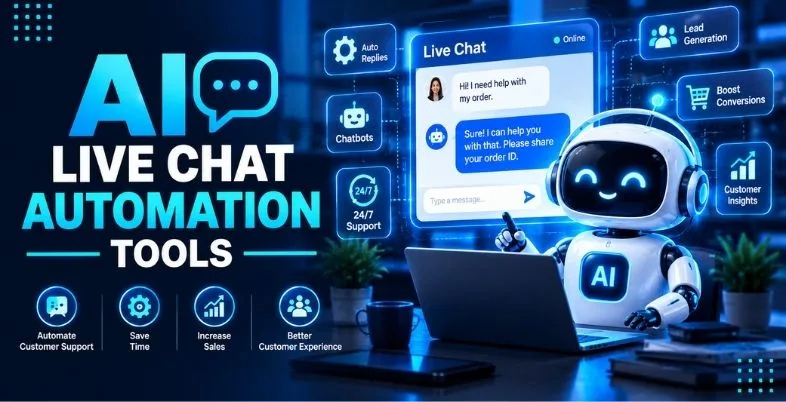
After five minutes of no chat (no response), the visitor will probably be checking out your competitor, and a little question can become a big review. Therefore, AI Chat is not just an optional but a necessary tool for support and sales teams. AI live chat automation tools is one of the most important parts nowadays.
Now, AI Live Chat Automation Tools can respond to frequently asked questions within seconds, gather lead information and schedule meetings, as well as pass over difficult leads to a live agent with the complete conversation history. The difficult one is with the selection, as some are per seat, some are per resolution, and some are per conversation.
Ten popular tools for 2026 are compared to each other in this guide based on use case, pricing, handoff and integrations. You also receive a ‘return calculator’ and a pricing explanation along with a basic checklist to help you determine your return. The prices are often subject to change, therefore it is important to check each website prior to purchasing.
Also Read – Best AI Pricing Optimization Tools
Quick Picks by Use Case
Every business is different and begins with a goal. The AI Live Chat Automation Tools are suitable for various roles, and this concise list will save you a lot of time on the scrolling downwards.The list is short and it will help you save lots of time before you dive down into them in detail below since they are designed to fit different roles.
When it comes to support, check out Intercom (Fin), Zendesk and Freshchat. For those who sell through a CRM, HubSpot and Salesforce Agentforce Service would be a good option. If you own an online shop, then Tidio and Gorgias are order and return oriented.
ProProfs Live Chat and LiveChat with ChatBot are convenient options to start with if you have a limited budget. If you have a helpdesk in place and just want to add in AI, check out eesel AI. Yes, price comes second when choosing.
What Is AI Live Chat Automation Tools? (Chatbot vs Live Chat vs AI Agent)
The classic set up is live chat. There is someone behind the chat box who is in charge of answering visitors’ messages as they are entered. Basic chatbot features predetermined rules and menus. It works with basic requests such as “track my order,” but fails to work when a user asks for something it wasn’t designed for.
The way an AI agent works. It reads your help articles, old tickets and product data, understands normal sentences and can make the following actions such as checking an order or changing a subscription. It also understands when to cease and to pass the chat over to a human.
AI Live Chat Automation Tools combine all three, as a whole. The AI helps with the easier chats, your team handles the more challenging ones and it’s all in the same inbox. When done correctly, they are able to receive quick responses and still connect with a real individual when it is essential to do so.
How to Choose: 8 Criteria That Matter
All of the AI Live Chat Automation Tools you have in your list can be judged by the following 8 points:
- Answer quality: Is it from your content or does it guess?
- Human handoff: Does the chat get handed to another person with all history, and can you define if the chat can be routed to another person and set up working hours?
- Channels: Website chat, email, WhatsApp, social media and phone – where are your customers?
- Integrations: Does it integrate with your CRM, online store/billing system and helpdesk?
- Pricing: Is it a seat fee, resolution fee, or a conversation fee and will the fees stack?
- Set up time: How much time is required for training and can be tested beforehand prior to live?
- Reporting and control: Are you able to see how many times the resolution was completed, customer ratings and wrong answers, and are you able to place restrictions on what the AI can do?
- Security and rules: Where is data kept and does tool introduce consent, AI disclosure and rules in your area?
Comparison Table – AI live chat automation tools
| Tool | Best for | AI agent? | Handoff | Channels | Key integrations | Pricing model | Free plan? |
| Intercom (Fin) | Support-first teams | Yes (Fin) | Yes, to inbox | Chat, email, social | Zendesk, Salesforce | Per resolution + seats | No (trial) |
| Zendesk (AI agents) | Large support teams | Yes | Yes, in workspace | Chat, email, social, voice | Large app marketplace | Per agent + resolutions | No (trial) |
| Freshchat (Freddy AI) | Growing multichannel teams | Yes (Freddy) | Yes, to shared inbox | Web, WhatsApp, email, phone | Freshworks suite | Per agent + sessions | 500 free AI sessions |
| HubSpot (Breeze agent) | HubSpot CRM users | Yes (Customer Agent) | Yes, with CRM record | Web chat, email | HubSpot CRM, Service Hub | Credits per resolution | Free chat tools; agent trial |
| Tidio | Small online stores | Yes (Lyro) | Yes | Web, Messenger, email | Shopify, WooCommerce | Conversation tiers + AI add-on | Yes |
| LiveChat / ChatBot | Website sales and support | Yes | Yes | Web, Messenger, email | Text products, CRMs | Per agent + AI packs | No (trial) |
| Gorgias | Ecommerce brands | Yes | Yes | Chat, email, SMS, social | Shopify, Recharge, Klaviyo | Tickets + resolutions | No (trial) |
| ProProfs Live Chat | Small teams | Basic AI add-on | Yes | Web, WhatsApp, Facebook, Instagram | Salesforce, WordPress | Per operator | Yes (1 operator) |
| Salesforce Agentforce Service | Enterprise Salesforce users | Yes | Yes, with case details | Chat, messaging, voice | Service Cloud, Data Cloud | Credits, conversation or user | No |
| eesel AI | AI layer on a helpdesk | Yes | Yes, in helpdesk | Chat, email, Slack | Zendesk, Freshdesk, Gorgias, Shopify | Flat monthly plan | No (7-day trial) |
The 10 Best AI Live Chat Automation Tools
1. Intercom (Fin)
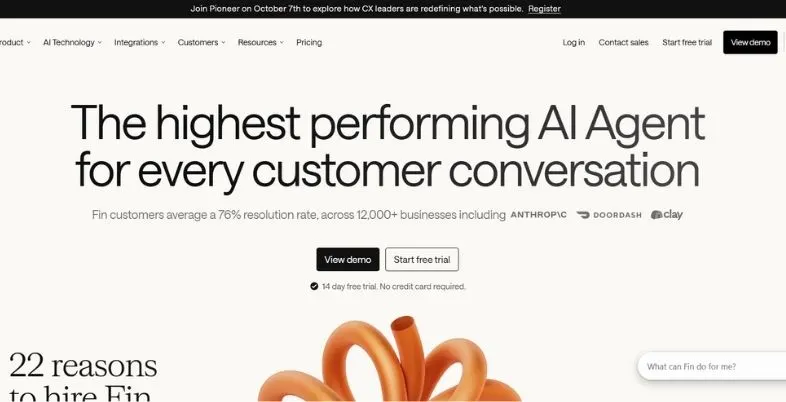
Created primarily for customer support, Intercom’s Fin is an AI agent. It is able to answer questions based on your help center, historical conversations and related business data, and is applicable in chat, email and other channels. Fin can be integrated into Intercom’s built-in helpdesk, or it can be integrated on top of other helpdesks like Zendesk and Salesforce.
Results are free and receive a price according to the results. Cost is $0.99 per Billable outcome per month (minimums 50 per month) and Intercom helpdesk seats are billed separately. At low levels, it’s fair, but as discussions increase, so do bills. Try it on actual chat, and see how many “resolved” are counted before you make a decision.
AI features
- Answers from help center
- Takes actions in systems
- Works across channels
- Smart handoff to humans
Pros
- Strong answer quality
- Pay per outcome
- Works with other helpdesks
Cons
- Costs rise with volume
- Seats billed extra
- Assumed resolutions possible
Pricing model: $0.99 per resolution
Who should skip: Very tight budgets
Best for: Support-first SaaS teams
Website: https://www.intercom.com/fin
2. Zendesk (AI agents)
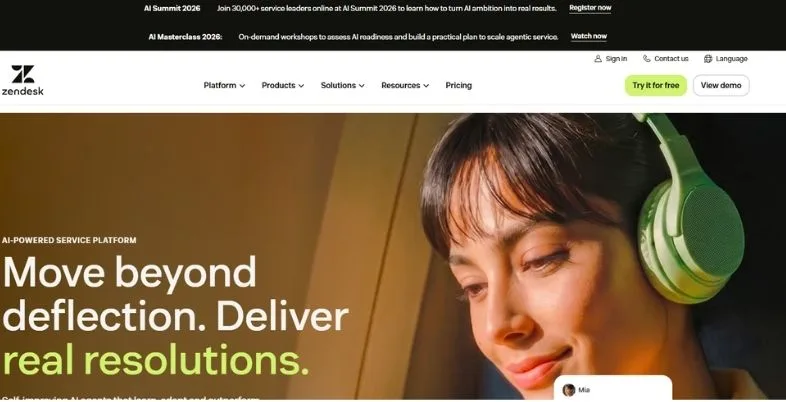
Zendesk is a well-established and trusted help desk with the ability to automate chat and messaging with AI agents. It’s best for medium-sized teams that need ticketing, routing, reports and a variety of channels all in one spot. It also provides a marketplace of connected apps. It’s time to set it up, but it thrives as your team grows.
There is a fee for the plan per agent. The Suite Team version is priced at $55 per agent a month (annual billing) and Suite Professional is $115 per agent a month (annual billing), with the Copilot add-on being $50 per agent each month. Once you hit a certain limit of the number of automated resolutions, AI agents will cost you per resolution. Zendesk doesn’t disclose that rate, so always request a written quote first.
AI features
- Automated chat resolutions
- Copilot reply suggestions
- Smart ticket routing
- Help article answers
Pros
- Proven, scalable platform
- Huge integration library
- Strong reporting
Cons
- Costs stack quickly
- Resolution rate unpublished
- Setup takes time
Pricing model: Per agent plus resolutions
Who should skip: Small, simple teams
Best for: Large support teams
Website: https://www.zendesk.com
3. Freshchat (Freddy AI)
The Freshchat Messaging product is powered by the Freshworks Freddy AI and the agent help comes from Freddy AI. It’s an easy-to-use option for expanding teams looking for chat, email, WhatsApp and calling on one platform. We are easy to learn, and we’re what many mid-sized support teams love – minus the technical person they have on their staff.
Any usage of Freddy AI Agent will be counted as a session. The Freshdesk Omni pricing page has the first 500 sessions included and any additional sessions cost $49 per 100. 24 hours of talking is a chat session. Each Freshworks product comes with a different price, so before you make your budget, be sure you’re purchasing the right product.
AI features
- Freddy AI Agent
- Copilot for agents
- Session-based bot replies
- Conversation insights
Pros
- Easy to use
- Full omnichannel suite
- Free AI sessions
Cons
- Session costs add up
- Copilot costs extra
- Plans feel confusing
Pricing model: Per agent plus sessions
Who should skip: Heavy enterprise needs
Best for: Growing multichannel teams
Website: https://www.freshworks.com/live-chat-software/
4. HubSpot (Breeze Customer Agent)
HubSpot’s Breeze Customer Agent is designed for HubSpot teams that are already utilizing HubSpot CRM and HubSpot Service Hub. It responds to your knowledge base, qualifies your leads and provides the chat to the sales or support person with the contact record attached. It serves two purposes – as a chat feature in your website for support and sales.
Since April 14th the Customer Agent’s rate is $0.50 per conversation resolved, in comparison to the $1.00 per conversation rate. Most Breeze features are only available in Professional or Enterprise plans, and are used up based on HubSpot credits. If you are already in HubSpot, then budgeting is easy, but if you are not, it isn’t quite so appealing.
AI features
- Customer Agent chat
- Lead qualification
- Knowledge base answers
- CRM-aware handoff
Pros
- Uses CRM data
- Low cost per resolution
- Good for sales
Cons
- Needs Pro plans
- Credits confuse budgets
- Tied to HubSpot
Pricing model: Credits, $0.50 per resolution
Who should skip: Non-HubSpot companies
Best for: HubSpot CRM teams
Website: https://www.hubspot.com/products/customer-agent
5. Tidio
All the live chat, chatbot flows and Tidio’s Lyro AI agent are grouped in one easy-to-navigate dashboard. It is great for small online businesses as it’s easy to set up, and integrates with platforms like Shopify and WooCommerce. Generally a working chat box can be obtained on the site with just a single afternoon’s work for a non-technical owner.
It has a free plan, paid plans begin at $29 a month, however, AI is charged individually. The add-ons (Lyro and Flows) can bring up the total amount to almost $117 per month for a full setup. If you’re a one-time user, the free plan comes with a one-time allowance of Lyro traffic; if you’re getting more traffic, you may want to choose a paid plan in order to avoid running out of traffic.
AI features
- Lyro AI agent
- Chatbot flow builder
- Cart recovery messages
- Visitor behavior triggers
Pros
- Very easy setup
- Real free plan
- Great for stores
Cons
- AI costs extra
- Seat cap on plans
- Big jump to Plus
Pricing model: Conversation tiers plus add-ons
Who should skip: Large enterprise teams
Best for: Small ecommerce stores
Website: https://www.tidio.com
6. LiveChat / ChatBot (Text)
LiveChat is an older and very popular website support/sales service chat platform, and is now part of the Text platform. The sister product of ChatBot is its no-code AI agents and automated flow building product, ChatBot. Many teams leverage both live chat and ChatBot for lead generation and to repeat questions, with LiveChat used for human interactions.
LiveChat’s initial price is $19 per agent annually and the Team plan’s price is $49 per agent per month. This comes to $19 per user, 10 AI resolutions per month with ChatBot Essential, $79 per user for Growth (200 AI resolutions per month) and additional packs of 50 resolutions cost $49.50. If you have two products, then you will have two bills so add them up before you come to a decision.
AI features
- AI agent replies
- Reply suggestions
- No-code bot builder
- Chat summaries
Pros
- Polished chat widget
- Strong sales features
- Long-proven product
Cons
- No free plan
- Two separate products
- Light helpdesk tools
Pricing model: Per agent, AI packs
Who should skip: Ticket-heavy support teams
Best for: Website sales chat
Website: https://www.livechat.com
7. Gorgias
Gorgias is an online store help desk that’s created for online stores, particularly Shopify. It has an AI Agent to answer “where is my order” queries, to return, refund and to answer product-related queries. It can read and then act on order information in the messages of chat and email, without any human intervention, thereby saving store teams a lot of repetitive work.
All plans are based on billable tickets and AI is rolled on top of that. The pricing for AI resolutions is $1.00 per resolution, per month (or $0.90 per resolution, per year) and a fully automated chat is also treated as a billable ticket. This double charge may catch you off-guard in the peak seasons, so it is important to do your calculations prior to signing.
AI features
- Order tracking replies
- Returns and refunds
- Shopping assistant chat
- Brand tone settings
Pros
- Deep Shopify link
- Built for ecommerce
- Strong action tools
Cons
- Double billing effect
- Costs grow with volume
- Narrow store focus
Pricing model: Tickets plus resolutions
Who should skip: Non-ecommerce businesses
Best for: Shopify support teams
Website: https://www.gorgias.com
8. ProProfs Live Chat
ProProfs Live Chat is an affordable solution that offers small teams who desire website chat, lead forms and a basic chat bot. It is routeable, triggerable, is able to generate reports, integrated with social media such as WhatsApp, Facebook and Instagram and it’s easy to learn. It’s a logical initial instrument for new customers to live chat.
The free plan includes one operator, the Team plan includes $19.99 per month per operator (annual billing) and the AI Chat Automation add-on costs $450 per year for 2,500 interactions per month. It’s simpler to use than large suites which can restrict advanced teams, but can make it easier for beginners.
AI features
- Basic AI chatbot
- Automatic lead capture
- Live chat translation
- Saved smart replies
Pros
- Real free plan
- Low team pricing
- Simple to learn
Cons
- Dated look
- Limited advanced AI
- Light reporting
Pricing model: Free, then per operator
Who should skip: Big enterprise buyers
Best for: Budget small teams
Website: https://www.proprofschat.com
9. Salesforce Agentforce Service
Agentforce Service is Salesforce’s Artificial Intelligence (AI) Customer Service Agent. It resides above your CRM data and Service Cloud, and can then look up your case, update your records and pass the chat to a person with all of the information. Designed for large organizations that are already Salesforce users and with demand for high levels of control and security.
There are a number of payment options with Salesforce. There are also per 100,000 credits list, conversations at $2 and per user licenses available for purchase for Flex Credits. You also have to have a Service Cloud subscription and rollouts may take longer with lighter tools – plan accordingly for time and money.
AI features
- Self-running service agent
- CRM case actions
- Customer data grounding
- Company-level guardrails
Pros
- Deep CRM context
- Strong security
- Highly customizable
Cons
- Complex pricing
- Long rollout time
- Needs Salesforce stack
Pricing model: Credits, conversations, licenses
Who should skip: Small businesses
Best for: Enterprise Salesforce teams
Website: https://www.salesforce.com/agentforce/service-agent/
10. eesel AI (and other AI-first add-ons)
eesel AI is an add on which integrates with a helpdesk like Zendesk, Freshdesk, Gorgias and more. It reads your help center, records and previous tickets, writes/sends replies and categorizes incoming chats. This means you won’t have to sacrifice the helpdesk that your support team is familiar with.
The Team plan will cost you $239 per month for the annual billing, and the Business plan will cost you $639 with 1,000 AI interactions and 3,000 AI interactions per month respectively. No free plan (only a 7 day trial) and a Custom plan is available for larger volumes. The other AI-first add-ons operate in a similar fashion – be sure to check out a couple before deciding.
AI features
- Learns from past tickets
- Automatic ticket replies
- Ticket sorting actions
- Test on old tickets
Pros
- Keeps your helpdesk
- Predictable flat pricing
- Quick to trial
Cons
- Interaction limits apply
- No free plan
- Smaller brand name
Pricing model: Flat monthly, interaction caps
Who should skip: Teams without helpdesk
Best for: Adding AI quickly
Website: https://www.eesel.ai
Pricing Models Explained: Per Seat vs Per Resolution vs Per Conversation
| Model | How it works | Example vendors | What to watch |
| Per seat | You pay each month for every human agent | Zendesk, LiveChat, ProProfs | Cost grows with team size, not with results |
| Per resolution | You pay only when the AI solves a chat | Intercom Fin, HubSpot, Gorgias | Each vendor decides what “resolved” means |
| Per conversation | You pay for each AI chat, solved or not | Agentforce conversations, Tidio Lyro | Unsolved chats still cost money |
| Per session or credit | You use up packs or credits as chats happen | Freshchat, HubSpot credits, Flex Credits | Credits can expire or reset monthly |
| Flat plan with a cap | One fixed monthly fee with a usage limit | eesel AI | You pay more or upgrade when you pass the cap |
Human Handoff: What Good Looks Like
The optimal AI Live Chat Automation Tools understand when to step back and take a break. The conditions where a good handoff begins are when the customer requests a person, is sounding upset, talks about a refund, mentions a legal issue or when the AI doesn’t know the answer. 3 times they have to ask before they purchase is a fault, and not a good thing.
The following is context. The human agent needs to view the entire chat history, customer information, the order/Account number as well as a brief recap of what’s already been attempted. People don’t like it when they have to repeat themselves, so it should not occur at all to customers.
Finally, establish a set of guidelines. Determine when and who will have what type of chat, and what to do when nobody is on-line, like a form of email or a call-back request. Explain to the customer what to do next/when it will be. A seamless transition is like you’re having a conversation with an AI that is a helpful front desk.
Best AI Live Chat by Business Type
| Business type | Good starting picks | Why |
| Small business or startup | ProProfs Live Chat, Tidio | Free plans and easy setup |
| Online store on Shopify | Gorgias, Tidio | Order data and returns handling |
| Software company support | Intercom (Fin), Zendesk | Strong answers and ticket tools |
| Sales team using a CRM | HubSpot, Salesforce Agentforce | Lead handling with CRM details |
| Growing team on many channels | Freshchat, LiveChat / ChatBot | Chat, email and phone together |
| Already has a helpdesk | eesel AI, Intercom Fin on top | Add AI without switching tools |
| Large enterprise | Salesforce Agentforce, Zendesk | Control, scale and security |
Compliance, Privacy and Disclosure
Use chat to manage personal information, and include the legal aspect in the purchasing process. The new laws, such as GDPR in Europe, CCPA in California and DPDP Act in India, impact the way you gather, keep, and utilize customer data. There are rules in different countries – consult a legal expert. This article is not intended to be, nor should it be relied upon as, legal advice.
Start with disclosure. Be assertive about using AI when interacting with it and simplify interaction with a human. Some areas are striving to make it a standard and it does help to foster trust with your clients, too.
After that look at the vendor. Inquire about where the data is stored, how long chats are stored, if the company is using such chats to train models, and which security certificates the company has.
Risks: When AI Chat Gets It Wrong
- With the advent of AI Chat, there are new risks to consider: when AI Chat gets it wrong.
- Wrong answers: The AI might give or repeat outdated information, which is made up or it cannot provide information.
- Bad articles need help to be good articles: Poor article content = poor answers given.
- Surprises on the bill: If you think you’ve resolved the issue and added it to the bill but it is not, you have added up your surprises.
- Bad handoff = stuck customers: folks are going in circles without a good handoff.
- Risky actions: If you do take a risk, and change your account or get your money back without any limit, you may lose money.
- Privacy slips: Information that is typed in chats could be kept, or made public.
- Damage to the brand: A single cold or off tone response, can lead to losing trust in the brand.
To reduce these risks, test out on old tickets first, deal with topics that are less risky first, read through the missed chats weekly.
Simple ROI Method
- Step 1: calculate the number of chats that the AI could process in a month, and not your number of tickets!
- Step 2: Make a careful guess as to the resolution rate you will use, e.g. 30-50% initially.
- Step 3: Calculate the cost to you (agent pay / chats handled) of one human handled chat.
- The fourth step is to calculate the amount of monthly savings achieved by using AI to handle chats—AI-solved chats × cost of human chat.
- Step 5: Monthly cost of the tools = seats + AI usage costs + add-ons.
- Step 6: Record additional sales (those sales made after hours etc.)
- Step 7: Return is (savings + extra sales − tool cost) / tool cost.
Conclusion
There is no one size fits all solution, as the best tool for you is going to be the solution that is right for your team, software and budget. There are several of the best AI Live Chat Automation Tools, such as Intercom, Zendesk, HubSpot and Salesforce for teams that deal with numerous support requests, while Tidio and Gorgias are suited for online stores.
While LiveChat with ChatBot is the cost-effective option for organizations with budget constraints, ProProfs and LiveChat with ChatBot are budget-friendly too; and when it comes to budget, you don’t need to spend too much on helpdesk software, as eesel AI brings AI to your existing helpdesk. Regardless of what you choose, be sure to read the fine print as to the number of “resolution/session” because that will determine your actual bill.
Start small. Select 2-3 tools, try a free one with actual questions from customers and then see how these are resolved, how well they are handed off and how well they are rated by customers. Spend time on fixing your help articles, establishing clear handoff rules and only expand when the numbers show it is successful. When it’s well automated, it should make your employees happier and your employees calmer.
FAQs
What is the difference between Chatbot and AI Agent?
A chatbot is a tool that responds to questions from a set list of questions and answers or a list of menus, and doesn’t know the answer if the question is new. An AI agent can comprehend regular sentences, absorb the content you have and perform actions such as verifying an order. It’s also aware when to give the chat over to someone.
Which of the following prices is the least expensive?
This will work well according to your volume. When there are little chats, per-resolution pricing will be cost-effective and when there are lots of chats, flat pricing will benefit. The number of seats, AI usage, as well as add-ons should always be summed before comparing vendors.
Is there an AI Live Chat that is free to use?
Yes, up to a point. Both Tidio and ProProfs offer free plans and Freshworks offers free AI sessions to experience. As you grow, expect to upgrade with free plans, as they will typically limit the number of chats, operators or AI that you can use.
So will AI take the place of my support team?
Not likely. AI for customer service to take care of repeat questions, people for upset, complex and high value customers. Most teams utilise AI to shorten the wait times, and to free up agents to focus on better work, not eliminate it.
What’s the set up time?
In just a single day, you can have an easy tool such as Tidio or ProProfs live. Helpdesk software like Zendesk or Intercom will require a couple of weeks of training and testing and bigger software like Agentforce can take months.