
Of the time sales reps spend on their job, less than 50% is dedicated to interacting with buyers. The rest is spent typing up call notes, updating the CRM, looking for leads and sending the same follow-up email the 10th time. That’s the space a new set of tools is attempting to cover.
Nearly all CRM and sales platforms are now equipped with AI in 2026. Some tools can only assist a rep to become faster. Others are like the junior team member who locates leads without needing supervision, sends out emails and arranges meetings without getting any assistance from others. Selecting the right AI Sales Assistant Software is more difficult than ever, with names that are often similar and prices that can be confusing.
This guide will help simplify the decision. We’ll make a comparison of 12 popular tools. You will see what each one does, how much they are, how they are lacking and which teams does it work best for. If time is poor, read the table and then proceed to the tool that fits your needs.
What Is AI Sales Assistant Software?
The AI sales assistant software is a tool that can assist salespeople with the repetitive, dull aspects of their work. Can send emails, make notes of calls, update CRM fields, recommend the next action in a deal and indicate leads that are ready to purchase.
They come in two principle styles. The “assistant” operates along with the rep. Suggests, drafts and summarizes; the rep maintains his/her control An “agent” takes things a step further. It can help conduct investigative research on a lead, compose a message, send it and deal with replies, all with very little human intervention. Several tools have both of them today.
AI Sales Assistant Software integrates with your CRM, email, calendar and phone/video calls. It reads data, discovers patterns and provides you instant aid. It doesn’t take the place of your sales process. It speeds it up. The ideal tools save reps some of their time per week, which also keeps their CRM clean without nagging.
How We Evaluated the Tools
- Call notes and CRM updates: How does it deal with outreach, call notes and CRM updates?Core job: What are its strengths and weaknesses in relation to outreach, call notes and CRM updates?
- Autonomy: Does it only help or does it help in acting as an agent?
- Integrations: How well they are connected to Salesforce, HubSpot and other CRMs.
- Call intelligence: Good recording, transcripts and coaching.
- Forecasting: Aiding deal risk and pipeline numbers
- Pricing refers to the published prices, add-on fees and credit costs.
- This covers aspects of security, such as SOC 2, GDPR and data handling.
- Ease of use: Set-up time and speed of reps getting it up and running
- Fit: The number of players that are the most effective.
- Scheduled for release in the near future. Trial access: Free plan, trial or demo only
Best AI Sales Assistant Software at a Glance
| Tool | Best for | Starting price | Autonomy (assist / agent) | CRM integrations | Call intelligence | Email outreach | Forecasting | Compliance (SOC 2/GDPR) | Free trial |
| HubSpot Breeze | Teams already on HubSpot | Free CRM; paid seats from about 9–20/seat/mo | Both | Native HubSpot, many apps | Yes (higher tiers) | Yes | Yes | Yes | Free plan + trial |
| Salesforce AI (Einstein/Agentforce) | Large Salesforce users | Starter Suite $25/user/mo | Both | Native Salesforce | Yes | Yes | Yes | Yes | 30-day trial |
| Pipedrive AI | Small teams | From about $14/user/mo (annual) | Assist | Pipedrive CRM, 500+ apps | Limited | Yes | Higher tiers | Yes | 14-day trial |
| Outreach + Kaia | Sales engagement at scale | Custom quote | Both | Salesforce, HubSpot | Yes (Kaia) | Yes | Yes | Yes | Demo |
| Regie.ai | Outbound content and sequences | Custom quote | Both | Salesforce, HubSpot | No | Yes | No | Yes | Demo/trial |
| 11x | Fully automated outbound | Custom quote | Agent | Salesforce, HubSpot | No | Yes | No | Yes (verify) | Demo |
| Dialpad | Phone-based sales teams | Sell plans from about $39/user/mo | Assist | Salesforce, HubSpot and more | Yes | Limited | No | Yes | 14-day trial |
| Zoom AI Companion | Teams living in Zoom | Included in paid Zoom plans | Assist | Via Zoom apps | Meeting summaries | Drafts | No | Yes | Free basic plan |
| Gong | Call intelligence and deal insight | Custom quote | Both | Salesforce, HubSpot | Best in class | Yes | Yes | Yes | Demo |
| Apollo | Lead data plus outreach | Free; paid from $49/user/mo | Both | Salesforce, HubSpot | Yes | Yes | Basic | Yes | Free plan |
| Salesloft | Mid-market and enterprise engagement | Custom quote | Both | Salesforce, HubSpot | Yes | Yes | Yes | Yes | Demo |
| Clari | Forecasting | Custom quote | Both | Salesforce, HubSpot | Yes | Limited | Best in class | Yes | Demo |
12 AI Sales Assistant Tools Reviewed
1. HubSpot Breeze

Breeze is the AI tool that is integrated into HubSpot. It contains a Breezelog assistant that helps to compose e-mails, write a meeting summary, create fast reports, and more. It also features agents that prospect and compose outreach messages for your reps, like the Prospecting Agent.
HubSpot updated pricing for 2 of its core agents in April 2026, leading to some new re:work based pricing. The other features are powered by HubSpot Credits which cost approximately $10 per 1000 credits. If you already use HubSpot, you’ll have the simplest start, as the AI is working on your existing HubSpot CRM data.
Key Features
- Breeze Assistant for drafting
- Prospecting Agent for leads
- Call and meeting summaries
- Native CRM data access
Pros
- Works inside HubSpot
- Easy for new users
- Free CRM to start
Cons
- Credits can add up
- Best tools need higher tiers
- Less useful outside HubSpot
Pricing: Free CRM; paid seats from about 9–20
Best For: HubSpot teams of all sizes
Website: https://www.hubspot.com/products/artificial-intelligence
2. Salesforce AI (Einstein / Agentforce Sales)
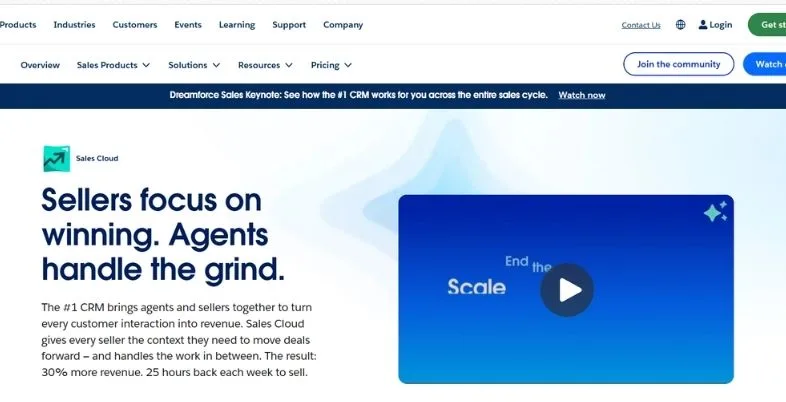
Salesforce’s AI is branded Agentforce and Sales Cloud has been renamed to Agentforce Sales. Can send emails, sum-up deals, score leads and run agents based on CRM data. The AI is built on the same data your reps use on a daily basis, making it a suitable option for large teams with complex setups.
There are multiple levels to the price. The plans begin at $25 per user per month for the Starter Suite and $165 for Enterprise. The price of agentforce is paying per action, at approximately $0.10 or is also available as a flat add-on of approximately $125/user/month.
Key Features
- Agentforce AI agents
- Lead and deal scoring
- Email and call summaries
- Deep Salesforce data access
Pros
- Powerful for large teams
- Huge app ecosystem
- Strong security controls
Cons
- Costs add up quickly
- Setup needs an admin
- Confusing pricing layers
Pricing: Starter Suite $25/user/month
Best For: Large Salesforce-based teams
Website: https://www.salesforce.com/sales/
3. Pipedrive AI
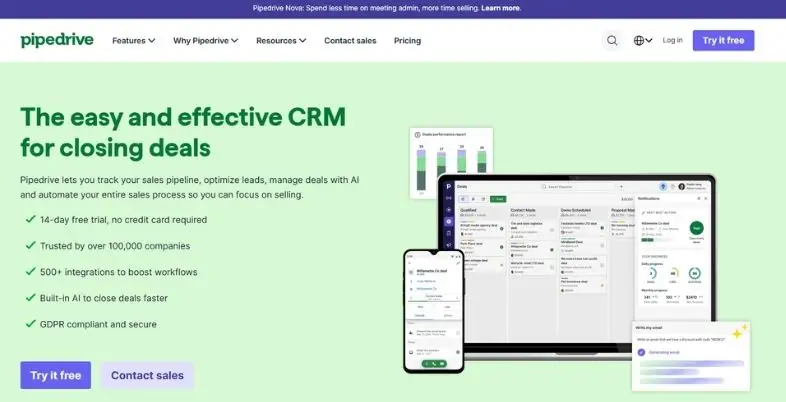
Pipedrive is an easy-to-use, visual CRM and its AI capabilities match that. The AI sales assistant, which is built-in, reviews your deals and offers recommendations on what to do next, such as which deal to pursue, or which lead is “cold”. It also aids in composing e-mails and creating reports without additional amendment.
It would be a nice option for smaller groups who are overwhelmed by large CRMs. Price is based on users, and is about $14 per month, billed on an annual basis. More forecasting and extra help with AI comes at a higher price in higher plans, and extras such as lead tools cost more. Call tools are simple, and large phone crews might require a different application.
Key Features
- AI deal suggestions
- Email writing help
- AI report builder
- Visual sales pipeline
Pros
- Very easy to learn
- Low starting price
- Clean, simple design
Cons
- Limited call intelligence
- Add-ons cost extra
- Less depth for enterprise
Pricing: From about $14/user/month
Best For: Small teams, simple pipelines
Website: https://www.pipedrive.com
4. Outreach + Kaia

Outreach is a sales outreach tool. It schedules email/phone/call/Task sequences for reps and organizes them for reps daily. Kaia is its AI meeting assistant. It can join calls, notes, comes up with action items and can provide real-time hints during a conversation.
Outreach is designed for bigger sales teams with a large number of sequences. It additionally provides deal views, pipeline keeping track of and predicting. The price is not available on the website, please contact sales for further details. The number of team members and the selection of modules will increase the costs and require some planning to set up.
Key Features
- Sequence automation
- Kaia meeting notes
- Deal health tracking
- Pipeline forecasting
Pros
- Strong sequence tools
- Good call notes
- Built for scale
Cons
- No public pricing
- Heavy for small teams
- Takes time to set up
Pricing: Custom quote only
Best For: Mid-market and enterprise teams
Website: https://www.outreach.io
5. Regie.ai

Regie.ai is an AI-powered outbound sales content solution. It can compose emails, create complete sequences and mold messages to various buying roles. It also boasts AI agents which assist in a portion of prospecting, so reps have more time to speak with individuals instead of composing from scratch.
It helps it to maintain the same messaging from team to team across numerous reps. It integrates with widely-used CRMs and sales engagement tools, allowing drafts and sequences to be seamlessly sent to systems that are already in use. Not a call re-recording or deal predicting device. It is priced on a quote basis, so before you make a comparison with other tools, request a demo.
Key Features
- AI email writing
- Auto-built sequences
- Prospecting agents
- CRM and tool sync
Pros
- Strong outbound content
- Saves writing time
- Consistent team messaging
Cons
- Quote-based pricing
- No call recording
- Weak forecasting
Pricing: Custom quote
Best For: Outbound-heavy sales teams
Website: https://www.regie.ai
6. 11x

11x does not offer a helper tool, but sells “digital workers.” It’s a primary product known as Alice, which is an AI sales development representative. She does the research, writes the messages, communicates them via channels and attempts to arrange meetings without anyone pushing her around.
This is the least hands-on of the options on the list. It’s ideal for companies that are interested in testing fully automated outbound. It must be monitored as well since information is sent from your brand label. Price is custom, and generally more expensive than seat based pricing, so do a small test first and then examine the results before implementing it.
Key Features
- AI SDR agent
- Lead research
- Multi-channel outreach
- Meeting booking
Pros
- Very hands-off
- Works around the clock
- Fast lead coverage
Cons
- High cost
- Needs close review
- Message quality varies
Pricing: Custom quote
Best For: Teams testing automated outbound
Website: https://www.11x.ai
7. Dialpad
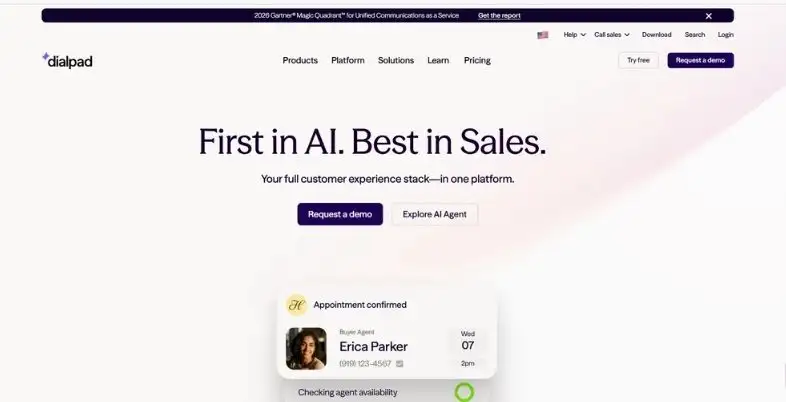
Dialpad is an Artificial Intelligence-powered business phone system. It records calls, creates live transcripts, provides talking tips as calls are happening and generates call summaries. This is beneficial for teams whose sales efforts are largely conducted over the telephone, as it eliminates a considerable amount of typing and helps to maintain more up-to-date notes.
The sales product is called Dialpad Sell, and the monthly selling price for Dialpad Sell starts at approximately $39 per user and escalates with the usage. Integrates with Salesforce and HubSpot, allowing notes to be transferred to the CRM. It’s not an all-in-one outreach app, so most teams use it in conjunction with another outreach email app for lead research and sequences.
Key Features
- Live call transcripts
- Real-time coaching
- Auto call summaries
- CRM note sync
Pros
- Great for phone teams
- AI included on plans
- Fast setup
Cons
- Limited email outreach
- Weak forecasting
- Pricing differs by product
Pricing: Sell from about $39/user/month
Best For: Phone-first sales teams
Website: https://www.dialpad.com
8. Zoom AI Companion
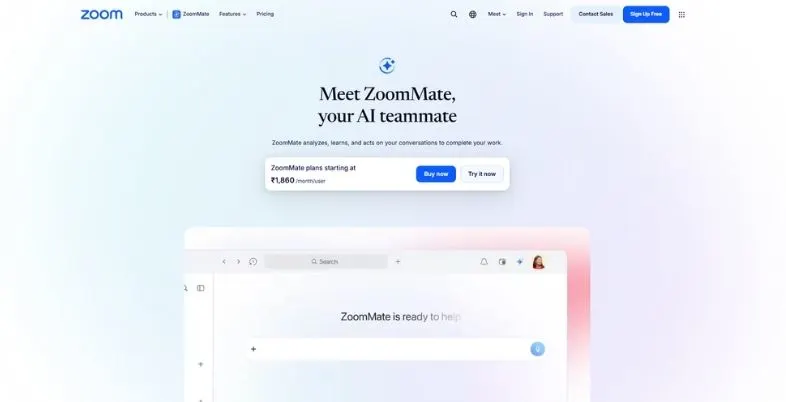
Think of Zoom AI Companion as the AI personal assistant within Zoom. It generates meeting summaries, action lists, addresses questions on the meeting content and aids in preparing follow-up messages. For sales teams who conduct demos and discovery calls via Zoom, it’s an easy solution to eliminate paper note taking.
It is not offered for free with any of the paid Zoom plans and therefore is one of the most expensive options here. The compromise is that it’s a meeting tool. It is not involved in running pipelines, running deals or outreach. Most teams don’t use it in lieu of a CRM, but are used alongside it.
Key Features
- Meeting summaries
- Action item lists
- Follow-up drafts
- Ask-about-meeting chat
Pros
- No extra cost
- Very easy to use
- Works inside Zoom
Cons
- No pipeline tools
- No outreach features
- Basic sales insights
Pricing: Included with paid Zoom
Best For: Zoom-based demo calls
Website: https://www.zoom.com/en/products/ai-assistant/
9. Gong

Gong captures, text and analyzes sales calls and emails. It indicates topics that are encountered in successful deals, as well as those reps that can deal well with objections and deals that appear to be risky. Many sales managers employ it to train their salespeople instead of assuming.
Gong has introduced new AI capabilities for deal summaries, forecasting and some agent-like tasks. It’s tough but not inexpensive. It’s priced by quote and typically will have a platform fee plus a fee per seat. This translates into a cost that is worth the money if there are enough reps in a team, and it’s best to use it when there are clean calls and CRM data.
Key Features
- Call recording and analysis
- Deal risk alerts
- Rep coaching insights
- Pipeline forecasting
Pros
- Best call intelligence
- Clear deal visibility
- Strong coaching tools
Cons
- Premium pricing
- Needs enough volume
- Setup takes effort
Pricing: Custom quote
Best For: Coaching-focused sales teams
Website: https://www.gong.io
10. Apollo
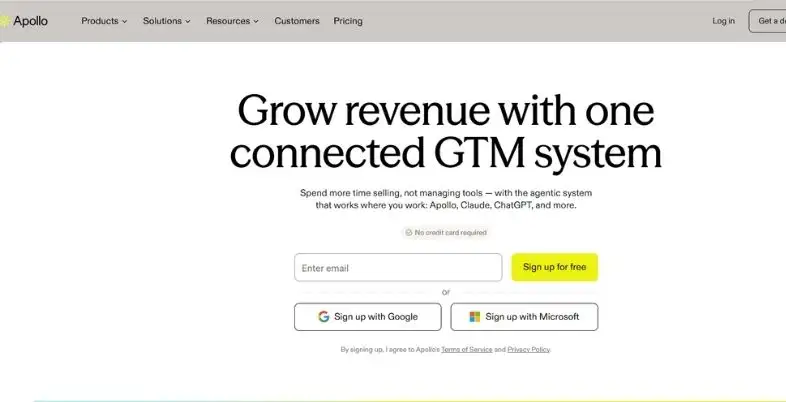
The large lead database and the tools for outreach are integrated into Apollo. Contacts, check email, create sequences and make calls in one place. Its AI also enables the reps to quickly jump from searching to messaging, as it can compose emails and even conduct research on accounts and score leads.
It offers free plans and paid plans begin at $49/user/month, billed annually. Heavy usage of certain AI actions and data can incur costs. Apollo is a favourite amongst companies that are just starting to develop and small to mid-size companies that require data and outreach in one tool, rather than many.
Key Features
- Lead database access
- AI email writing
- Built-in dialer
- Lead scoring
Pros
- Free plan available
- Data and outreach together
- Good value
Cons
- Credit limits apply
- Data quality varies
- Basic forecasting
Pricing: Free; paid from $49/user/month
Best For: Startups and growing teams
Website: https://www.apollo.io
11. Salesloft
Salesloft is a sales engagement platform for sales reps that are making daily contact with customers. Useful for email cadences, calls, notes on conversations and deal tracking. It can suggest to whom to reach out next and draft texts, so that reps make the best use of their time and resources every morning.
More forecasting and revenue tools are being connected to Salesloft and Clari will merge in late 2025. The price is not listed, so be sure to request a quotation. As with Outreach it’s appropriate for mid-size and large teams that have established a sales process and already have a sufficient number of reps to leverage it effectively.
Key Features
- Cadence automation
- Conversation insights
- Rep task guidance
- Deal and forecast views
Pros
- Solid engagement tools
- Good for large teams
- Strong reporting
Cons
- No public pricing
- Can feel complex
- Costly for small teams
Pricing: Custom quote
Best For: Mid-market and enterprise reps
Website: https://www.salesloft.com
12. Clari
Clari is a forecaster. It fetches information from your CRM, emails and calls to inform you of how close your deals are to closing. Leaders do not have to be surprised at the end of the quarter, but rather they can have an idea of where the numbers are going.
It additionally includes AI notes and deal inspection. It’s geared towards people who are earning money, not towards individual reps who are looking to get some assistance with their email. Prices are on a quote to quote basis. It’s best for teams with a large volume of deals and a forecast that plays an important role in the business and requires accurate CRM data to be effective.
Key Features
- Revenue forecasting
- Deal inspection
- Pipeline change tracking
- AI call notes
Pros
- Best forecast accuracy
- Clear pipeline view
- Good for leaders
Cons
- Not for solo reps
- Quote-based pricing
- Needs clean CRM data
Pricing: Custom quote
Best For: Revenue leaders, forecasting
Website: https://www.clari.com
Best by Use Case
| Use case | Best pick | Why |
| Teams already on HubSpot | HubSpot Breeze | Built into the CRM |
| Teams already on Salesforce | Salesforce AI | Uses your existing data |
| Simple CRM with AI hints | Pipedrive AI | Easy and low cost |
| Call coaching and deal insight | Gong | Deepest call analysis |
| Forecasting | Clari | Built around the forecast |
| Lead data plus outreach | Apollo | Free plan, large database |
| Outbound writing | Regie.ai | Strong sequence content |
| Fully automated outbound | 11x | AI SDR agent |
| Phone-based selling | Dialpad | Calls and AI in one |
| Meeting notes on Zoom | Zoom AI Companion | Included in paid plans |
| High-volume sequences | Outreach + Kaia or Salesloft | Built for scale |
Best for Small Teams vs Mid-Market vs Enterprise
| Team size | Best options | What to watch |
| Small teams (1–15 reps) | Pipedrive AI, Apollo, HubSpot Breeze, Zoom AI Companion | Keep costs low and setup short |
| Mid-market (15–200 reps) | HubSpot Breeze, Outreach + Kaia, Salesloft, Gong, Dialpad | Watch credit fees and add-ons |
| Enterprise (200+ reps) | Salesforce AI, Gong, Clari, Outreach, Salesloft | Plan for security reviews and admin time |
Pricing: What AI Sales Assistants Really Cost
The price indicated is a bankable price only. While most sales tools charge by user per month, many are now adding credits and/or usage fees. The AI features offered by HubSpot have a cost of $10 per 1,000 credits. There are two methods of billing: per action, which is around $0.10; or per user, with a flat add-on close to $125 per month. Apollo also has credits allocated for data and AI actions.
Some tools such as Gong, Outreach, Salesloft, Clari, Regie.ai and 11x do not display their prices on their websites. A demo and a quote is required. Be prepared to have a fixed contract, setup fee and minimum number of seats. Prices are subject to change; please check the vendor’s website before making your decision.
Include the cost of the extras in your budget! This includes onboarding, admin time and additional seats for managers as well as additional tools that you might require. The opposite of this statement is also true: A low-priced tool with multiple add-ons can be more expensive than a single plan. An approximate cost of a few hundred dollars a month for simple CRM based AI Sales Assistant Software and several thousand dollars a month for full engagement and call intelligence is a good ballpark for a team of 10.
Security, Privacy & Compliance Checklist
- Request vendor’s SOC 2 Type II Report.
- Verify compliance with GDPR and data processing contract has been signed
- Verify data storage and retention locations and durations
- Inquire whether their data is employed for the training of their AI models
- Support single sign-on and role based access
- Visit the call recording consent tools to see what they have to offer in various states and countries.
- Inquire about what you can do to remove the call recording and transcript.
- Still, check the extended list of external AI companies they utilize.
- Ensure that the tool works with a user’s permissions for their CRM.
- Request a detailed procedure in case of a data leak
How to Choose and Roll Out an AI Sales Assistant
- Prior to looking at any tool, use the top three time-wasters you have identified to write them down.
- Review existing CRM and call tools to determine which ones you use
- Choose one objective – either increased notes or more booked meetings
- If you have two or three tools in mind, narrow it down to the ones you want to try out, and request a trial or demo.
- Use sample data, NOT real calls and real leads.
- Keep it small with just a few reps as a pilot.
- Perform the pilot from 30-60 days.
- Before sending out an email, check the copy for mistakes made by AI.
- Provide training to reps on the “how” and “how not” of the tool.
- Monitor and measure time saved, meetings scheduled and CRM quality.
- Grow slowly under the guidance of the pilot and see positive outcomes
- It’s important to use this type of AI Sales Assistant Software to assist reps, rather than having to follow commands blindly.
Where AI Sales Assistants Fail
- They start to write messages in a generic way and end up being ignored
- They guess wrong if the CRM data is old or hunky dory.
- They can make up information about a lead/company
- Call transcripts lack names, accents and technical terms
- If there is no one to review your outreach, it can negatively impact your brand.
- It might cost you at the end of the month when you receive your bills with a credit-based pricing system.
- Reps may cease using a tool which feels additional work as the result of becoming tired or frustrated.
- Only as good as the data; forecasts cannot be better than the data they are based on.
- Privacy policies for call recording are difficult to find
- They are unable to establish trust, understand a room or close a deal that is difficult.
Is an AI Sales Assistant Worth It? (ROI Math)
- Include hours saved per week for each activity in Step 1, for example, 4 hours on notes and CRM updates for each week.
- Take the # of reps X the hourly cost of the rep, e.g. # of reps X $40 per hour.
- 4 hours × $40 × 4 weeks = about $640 saved per rep each month
- Subtract the cost of the tool – (example: $100 per rep per month)
- In this example, the person is expecting a net gain of $540 per month on each rep.
- Add value of extra meetings or deal cycles that are accelerated
- Add up the setup, training and add-on costs in your total
- Be careful. Time is only beneficial to the rep when he or she uses it to sell!
- After 90 days, run the numbers again with real numbers.
Conclusion
There is no one right answer for any one. This will depend on your CRM, the size of your team and the biggest obstacle for your reps. For those already using HubSpot or Salesforce, there’s their AI to begin with. For a simple and cheap solution, consider Pipedrive and/or Apollo.
Coaching and handling visibility issues is tough to beat against Gong. Clari is more suited if it’s a forecast. Each of Outreach, Salesloft, Regie.ai and 11x has different approaches when it comes to helping customers with heavy outbound work—some require more guidance, while some are almost fully automated. If you’re selling a lot on calls, Zoom AI Companion and Dialpad should be suitable options.
Start small. Select one problem and do a pilot of a short duration and measure the outcome. Communicate with someone, particularly if you are sending an e-mail signed by you. The idea is not to create more noise, so it’s not more time. Bear in mind that plan and credit rules are subject to change and check the price on each vendor’s website/plan before purchase.
FAQs
What is an AI sales assistant software?
It’s a tool to assist salespeople with everyday duties. Sends email, records calls, updates the CRM, qualifies leads and recommends action steps. Some tools can only help, others can do it on their own as agents.
What’s the difference between an AI sales assistant and an AI SDR?
AI sales assistant is a tool that complements a rep and assists in writing, notes and planning. An AI SDR such as 11x’s Alice takes care of the outbound work. It leads the way to find leads, sends out messages and attempts to set up meetings without much human effort.
What is the price of an AI sales assistant software?
Simple plans begin at no cost or $9 to $50 per user per month. The base price of Salesforce is $25 per user, and with AI features, it ramps up quite a bit. Some tools apply credit fees and Gong, Outreach, Salesloft, Clari and 11x use custom quotes.
What’s the best Artificial Intelligence sales assistant for small business?
Some excellent initial choices are Pipedrive AI and Apollo and HubSpot Breeze. They are simple to enter, simple to set up and have free or low cost plans. Also, if you are paying for Zoom, Zoom AI Companion is a convenient, free add-on.
Are there any Salesforce or HubSpot integrations with AI sales assistants?
Yes, most do. HubSpot Breeze and Salesforce AI are both built into their CRMs. With tools such as Outreach, Salesloft, Gong, Apollo, Clari, Dialpad and Regie.ai, both are connected. When purchasing, always make sure you know which fields will be synced.
Can AI be used to listen to sales calls?
It will depend on your location and the buyer’s. Some are required to go by the consent of one person, some require the consent of all on the call. Be sure to let people know that it’s recorded, take advantage of consent controls and check with a lawyer if you are not sure.
Is Artificial Intelligence everything to do with replacing sales reps?
Don’t expect to see it in the near future. These tools are used to replace typing, research and note taking. There is still a need for reps to establish a level of trust, to engage in difficult negotiations and to seal the deal. AI-savvy reps will likely stand out from the crowd when it comes to their abilities.
How long will it take to be implemented?
Start using simple tools such as Zoom AI Companion in a day or two, Apollo or Pipedrive. It can take a few days to a few weeks for HubSpot to take effect. Salesforce, Gong, Outreach, Salesloft and Clari will typically require between 1-3 months, with data cleanup time and sales rep training all included.